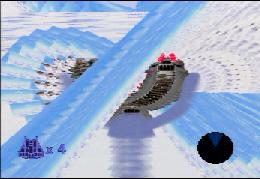
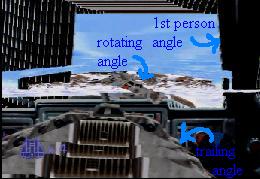
Star Wars: Shadows of the Empire

-- back to page 1
Fly through the ceiling
Walk on walls
A sticky wall
Fly out of where you're supposed to go


To do many of the following glitches, you will need to activate the debug mode. To do this, enter your name as _Wampa__Stompa and start the game. Now, push start to pause the game once the level has fully begun. This sounds freaky but it does work, although it can get frusterating. Hold all the C buttons, the L and R buttons, the Z button, and the left button on the control pad. It helps if you have someone help you hold the buttons. Now, carefully tilt the control stick halfway to the left until you hear a sound and then tilt it to the right until you hear a sound. Keep on tilting it back and forth, not pushing the stick all the way, until some letters appear with cheats you can use. It takes about 5 tilts. To go through the cheats, use the control pad. To change a number or setting, push up on the control stick. To select a feature, push A. The glitches that need this will make a reference to the debug menu.


Fly through the ceiling
Discovered by: Wilma of CGS
Exciting-ness scale: 4 out of 10
Does it work? --> Confirmed. It works.

In the debug menu, turn your gravity down and your jumping power up. In some levels, you will be able to jump through the ceiling and look at the world from a rather unique view. This can happen in the second level, the Galla Cliff Base, and a bunch of others. It's also fun to jump up in the train level and look at the place. It's normally easiest if you immediately hit the jump button many times at the beginning of the level, without moving. You can then float around and explore the place and you can use "get all items" to get the jetpack to go around some more. One problem is that you will often fall and die when you come back down, unless you turn on the jetpack and guide yourself to land. You can even sometimes get stuck in the ceilings of rooms using this glitch.


Go back to the top
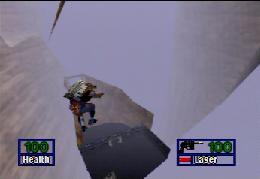
Flying away from the level
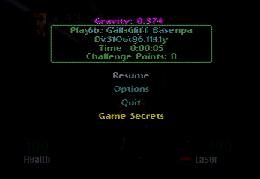
Here is the pause screen with the cheat menu and the gravity being turned down.
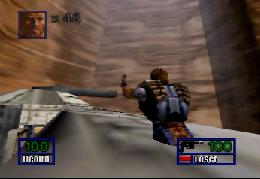
The guy has jumped through the ceiling at the beginning of the Galla Cliff Base and is now going a ship


Walk on walls
Discovered by: Wilma of CGS
Exciting-ness scale: 3 out of 10
Does it work? --> Confirmed. It works.

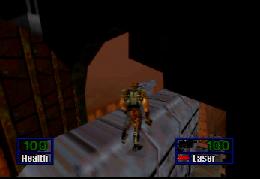
Does not need debug menu. Sometimes when you fall, if you hug the wall, you'll be walking on it, even though it's supposed to be vertical. I tried this out in the area before fighting the chicken walker. I was trying the jump for the Imperial transporter ship glitch and I fell next to the platform I was supposed to land on. Now, as you call, use the jetpack as much as you can and press yourself against the wall at an angle (not head on). You will find some areas that if you keep on walking forward, you will be standing on a thin area by the wall. However, you must keep walking forward while walking on the wall, and it must be at an angle. You can even recharge your jetpack while walking so you can jet back up to the platform.


Go back to the top
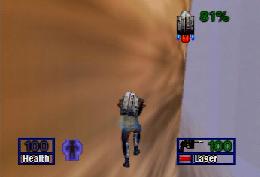
Here is the wall I will walk on
Walking on a wall that's really vertical


A sticky wall
Discovered by: Wilma of CGS
Exciting-ness scale: 1 out of 10
Does it work? --> Confirmed. It works.

When you jump at some walls, they will make you sort of "stuck" to them, you don't fall down and you stay hovering in the air as long as you're pressed against the wall. One example is at the junk heap where you fight that robot-guy. Go to the place where you came from in the train level (the area that looks like it opens up to another place, but it doesn't). Now, using the debug menu, lower your gravity and increase your jumping so you can go higher. It also helps to have the jetpack using "get all items" so you can have more control over your jumping. Climb onto the thing blocking the entrance and jump at the wall above the entrance. Hold the control stick forward so that you are pressed against the wall. If you jumped at it correctly, you will be sitting there, in the air, and not falling. To get off, just hold back on the control stick.


Go back to the top
Here's the entrance. Jump on this thing
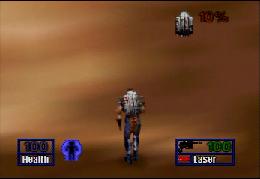
You can't really tell by a picture, but this guy is hovering against the wall


Fly out of where you're supposed to go
Submitted by: phoenix_advance, details worked out by Wilma and Connie of CGS
Exciting-ness scale: 9 out of 10
Does it work? --> Confirmed. It works.

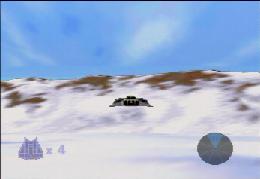
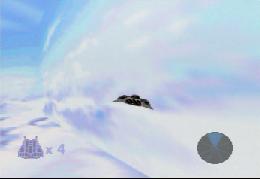
Go to the first level where you're in that snowy place. Now, in the debug menu turn "Wall Ghost" On. You can now fly outside the boundaries - and it looks really freaky. Just fly to the edge of the area and you will go past some mountains and eventually the barrier, which is made of a bunch of 2-d looking mountains. You will notice that you're inside a box like-area of clouds. If you fly out of the box, the images will get really weird, not erasing your path as you move. This glitch is really cool and gets a 9 out of 10 because it is really easy to do (requires no skill) and yields really freaky results.


Go back to the top
Here are the edges of the world
From this view you can see the box of sky images that surround the world
You can make pretty pictures like this if you fly outside the boundaries
Here is a glitchy view of all three camera angles of the ship being shown at the same time